
In an age where digital privacy is increasingly valuable, VPNs (Virtual Private Networks) have evolved from corporate tools to everyday essentials. For streaming enthusiasts, a quality VPN offers benefits beyond simple privacy—from avoiding ISP throttling to accessing geo-restricted content. Here's why every IPTV user should consider one.

What is a VPN and How Does It Work?
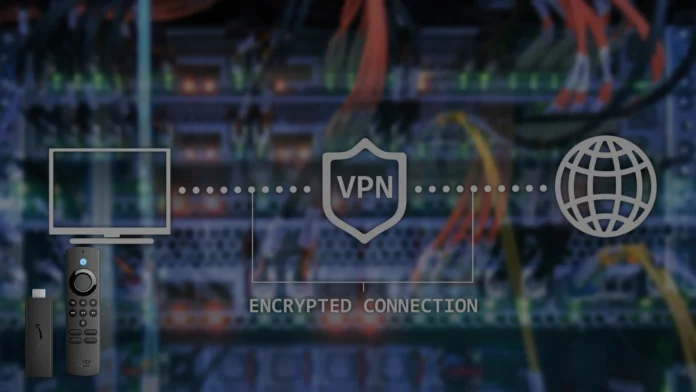
A VPN creates an encrypted tunnel between your device and the internet. All your online traffic passes through this tunnel to a VPN server before reaching its destination. This process:
- Encrypts your data: Makes your online activity unreadable to outside observers
- Masks your IP address: Replaces your real IP with the VPN server's IP
- Hides your activity: Prevents your ISP from seeing what you're streaming
Key Benefits of Using a VPN for IPTV
1. Prevent ISP Throttling
Many Internet Service Providers throttle (intentionally slow down) streaming traffic during peak hours or when they detect high-bandwidth activities. Without seeing your traffic, your ISP cannot selectively slow it down.
Signs of ISP throttling include:
- Buffering that occurs only during certain times
- Slow speeds on streaming but fast speeds on speed tests
- Inconsistent performance across different services
💡 Test for Throttling
Stream for 30 minutes without a VPN, then 30 minutes with a VPN connected. If performance significantly improves with the VPN, your ISP may be throttling.
2. Enhanced Privacy Protection
Your streaming habits reveal a lot about you—your interests, schedule, and preferences. A VPN prevents:
- ISPs logging and selling your viewing data
- Third parties tracking your streaming activity
- Potential exposure of your viewing history
3. Secure Public WiFi Streaming
Streaming on hotel, café, or airport WiFi without a VPN exposes your traffic to potential eavesdroppers on the same network. A VPN ensures your data remains encrypted and secure, regardless of the network's security level.
4. Access While Traveling
Many IPTV services and streaming platforms restrict access based on geographic location. A VPN allows you to connect to servers in your home country, maintaining access to your regular content while abroad.
Choosing the Right VPN for Streaming
Not all VPNs are suitable for IPTV. Streaming demands specific characteristics:
Essential Features
- High-speed servers: Look for providers boasting 10Gbps+ server connections
- No bandwidth caps: Unlimited data is essential for streaming
- Large server network: More options for finding optimal connections
- Kill switch: Automatically disconnects if VPN drops, preventing IP exposure
- Split tunneling: Route only streaming through VPN, other traffic direct
Performance Considerations
- Nearby servers: Connect to servers geographically close for lowest latency
- Protocol options: WireGuard offers the best speed/security balance
- Streaming-optimized servers: Some VPNs offer servers tuned for video streaming
Top VPN Recommendations
While we don't endorse specific brands, look for VPNs that:
- Have established reputations (5+ years in business)
- Offer transparent privacy policies
- Provide apps for your streaming devices
- Offer money-back guarantees (30 days is standard)
- Have consistently positive reviews for streaming performance
Setting Up VPN on Common Devices
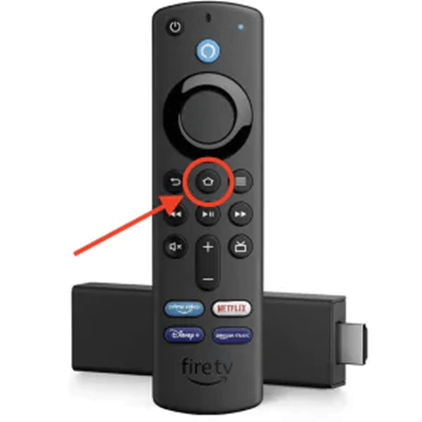
Amazon Firestick
- Search for your VPN app in the Amazon Appstore
- Download and install the app
- Sign in with your VPN credentials
- Connect to a server before launching your IPTV app
Android TV / Google TV
- Open Google Play Store
- Search and install your VPN provider's app
- Log in and connect
Router-Level VPN
For comprehensive protection, consider configuring VPN directly on your router. This protects all devices on your network automatically, including those without native VPN support (like some Smart TVs).
Note that router configuration requires a compatible router and some technical knowledge. Many VPN providers offer guides for popular router models.
Common VPN Myths Debunked
"VPNs always slow down streaming"
Quality VPNs with nearby servers cause minimal speed loss (typically 10-15%). If you're being throttled by your ISP, a VPN may actually improve your streaming speeds.
"Free VPNs work just as well"
Free VPNs typically have bandwidth limits, slower servers, and may log and sell your data—defeating the privacy purpose. For streaming, a paid VPN is worth the investment.
"VPNs are complicated to use"
Modern VPN apps are one-click simple. Download, log in, click connect. Most apps also offer automatic connection features and intuitive server selection.
Best Practices for VPN Streaming
- Connect before launching IPTV: Establish VPN connection first
- Choose servers wisely: Closer servers = better performance
- Enable kill switch: Prevents accidental exposure if VPN disconnects
- Update regularly: Keep VPN app updated for best performance
- Test different servers: If one is slow, try another in the same region
Stream Securely with Apex IPTV
Pair your VPN with Apex IPTV for the ultimate private streaming experience. Try free for 12 hours.
Start Free Trial