
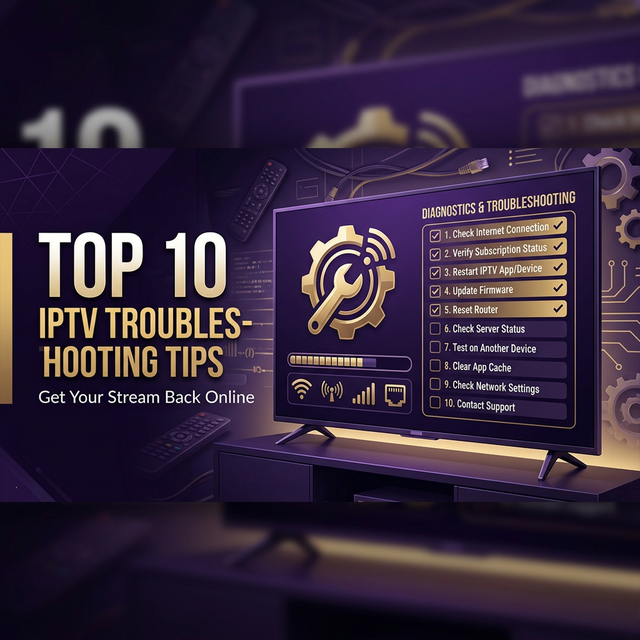
IPTV is incredibly reliable when everything is set up correctly — but like any internet-based service, issues can pop up. The good news? 90% of IPTV problems have simple fixes that take less than 5 minutes. Here are the top 10 most common issues and exactly how to fix them.
1. Buffering / Freezing Channels
🔴 The Problem: Channels keep buffering, pausing, or freezing during playback.
✅ The Fix:
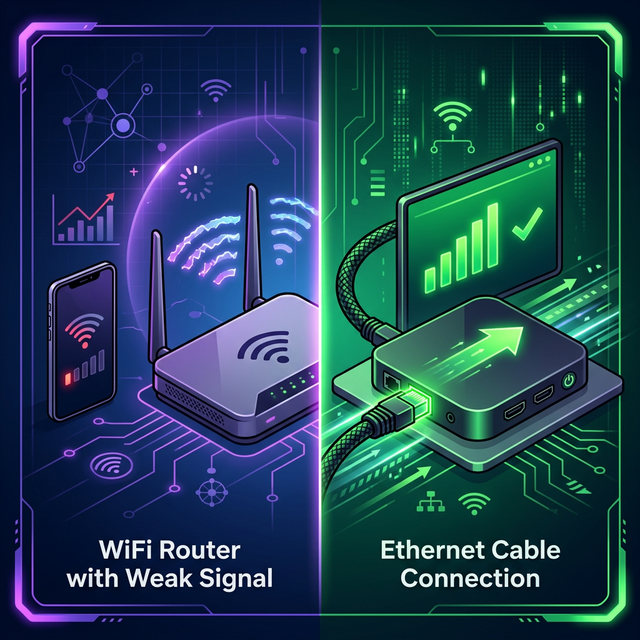
- Use Ethernet instead of Wi-Fi — This is the #1 fix. Wi-Fi introduces latency and packet loss. A wired connection is always more stable.
- Run a speed test — You need at least 25 Mbps for HD and 50 Mbps for 4K. Test at fast.com.
- Lower stream quality — Switch from 4K to HD in your player settings if your internet is slow.
- Restart your router — Unplug for 30 seconds, then reconnect. This clears network congestion.
- Use a VPN — Your ISP might be throttling IPTV traffic. A VPN can bypass this.
📖 Detailed Guide
For a comprehensive deep-dive into fixing buffering, read our complete IPTV buffering fix guide.
2. Black Screen (No Video)
🔴 The Problem: Audio plays but the screen is black, or nothing loads at all.
✅ The Fix:
- Switch the video player engine — In your IPTV app, go to Settings → Player and switch between VLC, ExoPlayer, or Hardware decoder
- Try a different channel — The issue might be with one specific stream, not your setup
- Clear the app cache — Settings → Apps → [IPTV App] → Clear Cache
- Update the app — Outdated apps can have codec compatibility issues
- Restart your device — A simple reboot fixes more issues than you'd think
3. "Cannot Connect to Server" Error
🔴 The Problem: The app shows a connection error when trying to load channels.
✅ The Fix:
- Check your internet — Open a browser and load any website. If that fails, the issue is your internet, not IPTV.
- Verify your credentials — Double-check the server URL, username, and password. Even one wrong character will fail.
- Check subscription status — Your subscription may have expired. Contact your provider to verify.
- Try a VPN — Some ISPs block IPTV server connections. A VPN can bypass this.
- Server maintenance — Your provider may be doing maintenance. Wait 15–30 minutes and try again.
4. Channels Not Loading or Empty List
🔴 The Problem: You log in successfully but see zero channels or a blank list.
✅ The Fix:
- Refresh the playlist — In your app, look for a "Refresh" or "Update Playlist" option
- Re-enter your M3U URL — Delete the current playlist and re-add it from scratch
- Check for correct API type — Make sure you're using "Xtream Codes" login if your provider uses that, not M3U (or vice versa)
- Contact support — Your account might need reactivation on the server side
5. EPG (TV Guide) Not Showing
🔴 The Problem: The Electronic Program Guide is blank or shows wrong information.
✅ The Fix:
- Check EPG URL — Make sure you've entered the correct EPG URL in your app settings
- Force EPG refresh — Go to Settings → EPG → Update/Refresh Now
- Set auto-update — Configure EPG to auto-refresh every 12–24 hours
- Check timezone — Incorrect timezone settings can make the EPG appear empty or offset. Set it to your local timezone.
- Use a different app — Some apps handle EPG better than others. TiviMate has the best EPG support.
6. Audio Out of Sync
🔴 The Problem: The audio is ahead of or behind the video.
✅ The Fix:
- Switch video player — Change from VLC to ExoPlayer (or vice versa) in player settings
- Disable audio passthrough — If using an external sound system, try disabling audio passthrough in device settings
- Restart the channel — Exit and re-enter the channel to reset the stream
- Check HDMI cable — A faulty or low-quality HDMI cable can cause sync issues
7. App Crashes or Force Closes
🔴 The Problem: Your IPTV app keeps crashing back to the home screen.
✅ The Fix:
- Clear app cache and data — Settings → Apps → [App] → Clear Cache → Clear Data
- Update the app — Check for the latest version in the app store or download the latest APK
- Free up device memory — Close other running apps. Low memory is the #1 cause of crashes.
- Reinstall the app — Uninstall completely, restart device, then reinstall fresh
- Try an alternative app — If one player keeps crashing, switch to another (e.g., from XCIPTV to TiviMate)
8. "Max Connections Reached" Error
🔴 The Problem: You see a message that maximum connections have been reached.
✅ The Fix:
- Check other devices — Make sure no one else is using your subscription on another device
- Force close the app on all devices, wait 2 minutes, then reconnect on one device only
- Change your password — If you suspect unauthorized access, contact your provider to reset credentials
- Upgrade your plan — If you need more simultaneous connections, consider a multi-connection plan
9. Poor Picture Quality
🔴 The Problem: Streams look blurry or pixelated even though you're expecting HD/4K.
✅ The Fix:
- Select HD/4K channels — Make sure you're selecting channels marked as HD or 4K, not SD versions
- Check your internet speed — HD needs 25+ Mbps, 4K needs 50+ Mbps
- Disable auto-quality adjustment — Some apps reduce quality when bandwidth fluctuates. Lock it to HD/4K manually.
- Check TV resolution settings — Ensure your device output matches your TV (1080p or 4K)
- Use a better HDMI cable — For 4K, use a High-Speed HDMI 2.0 or 2.1 cable
10. VPN Connection Issues
🔴 The Problem: IPTV stops working when your VPN is connected, or the VPN keeps disconnecting.
✅ The Fix:
- Switch VPN servers — Try a server closer to your actual location for better speed
- Use a streaming-optimized VPN — NordVPN, ExpressVPN, and Surfshark are designed for streaming
- Change VPN protocol — Switch from OpenVPN to WireGuard for faster speeds and better stability
- Split tunnelling — Route only IPTV traffic through the VPN while keeping other apps on your normal connection
- Contact your VPN provider — Some VPNs block IPTV ports. Ask for streaming-compatible servers.
Quick Reference: Troubleshooting Cheat Sheet
| Issue | First Thing to Try |
|---|---|
| Buffering | Switch to Ethernet |
| Black screen | Switch video player engine |
| Can't connect | Verify credentials + internet |
| No channels | Refresh playlist |
| No EPG | Re-enter EPG URL + force refresh |
| Audio sync | Switch player engine |
| App crashes | Clear cache + restart |
| Max connections | Close on all devices, wait 2 min |
| Poor quality | Select HD/4K channel version |
| VPN issues | Switch server + use WireGuard |
Still Need Help?
If none of the above fixes solve your issue, our support team is available 24/7 via WhatsApp. We can diagnose your problem remotely and get you back to streaming in minutes.
Need Support? We're Here 24/7
Contact our team via WhatsApp for instant help, or try a free trial to test your setup.
Start Free Trial